What is Google Penalty: Types, Causes & Recovery
Published: 1 Feb 2026
Have you ever noticed a sudden decline in your website’s organic traffic and search engine rankings? If so, you may have fallen victim to a Google penalty. Google’s penalties, also known as manual actions, are implemented when a website is found to be in violation of its webmaster quality guidelines.
This article will tell you everything you need to know about Google penalties, including the different kinds of penalties and how to protect your website from their bad effects.
What is Google Penalty?
Think of Google like a teacher and your website like a student.
You work hard all semester, but one day you receive your report card and notice a low grade in one subject. That low grade does not mean you failed completely, but it does affect your overall result. This is very similar to a Google penalty.
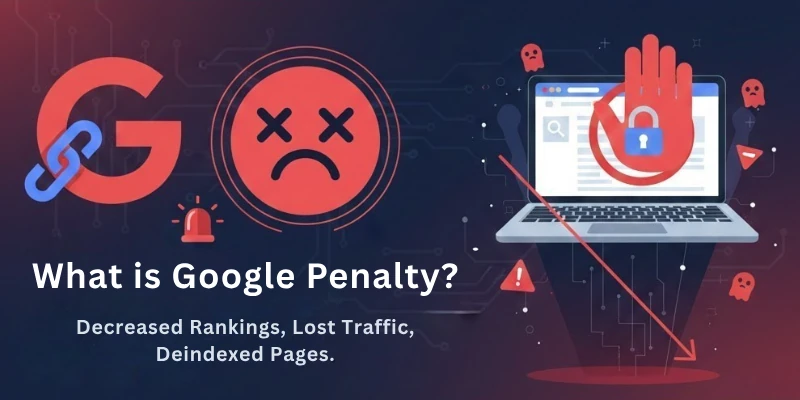
Google’s job is to show the best and most useful websites to users. To do this, it follows strict rules and guidelines. Websites that try to cheat the system—by using spammy links, low-quality content, or unfair SEO tricks, break these rules.
When Google finds such violations, it may apply a Google penalty. This penalty can cause:
- A drop in search rankings
- A loss of organic traffic
- In serious cases, complete removal from search results
Just like a bad grade can affect a student’s future opportunities, a Google penalty can harm a website’s traffic, visibility, and revenue.
Page vs Website Penalty
Google penalties do not always affect the entire website. Sometimes, only a single page is penalized, while in other cases, the whole website is impacted. Understanding the difference is very important because the recovery process depends on it.
Page-Level Penalty
A page-level penalty affects only specific pages of a website, not the entire domain. This usually happens when a particular page violates Google’s guidelines.
Common reasons for a page-level penalty include:
- Thin or low-quality content on a single page
- Keyword stuffing on one page
- Duplicate or copied content
- Spammy backlinks pointing to a specific page
In this case, other pages of your website may still rank normally. Fixing or improving the affected page can often resolve the issue quickly.
Website-Level Penalty
A website-level penalty affects the entire domain. This type of penalty is more serious and usually happens when Google detects repeated or large-scale guideline violations across the site.
Common reasons for a website-level penalty include:
- Large-scale spammy link building
- Widespread duplicate or auto-generated content
- Hacked or malware-infected website
- Repeated use of black-hat SEO techniques
When a website-level penalty is applied, most or all pages may lose rankings, or the site may be completely removed from search results.
Key Difference to Remember
- Page penalty → Limited to individual pages
- Website penalty → Affects the entire domain
Identifying whether the penalty is page-level or website-level helps you fix the problem faster and choose the right recovery strategy.
Now that you understand what a Google penalty is, it’s important to know that not all penalties are the same. Google applies different penalties in different ways. To fully understand how they work, we must first discuss the two main types of Google penalties in detail.
Types of Google Penalties
Google penalties are actions taken against websites that violate Google’s Webmaster Guidelines. These penalties can have a major influence on a website’s ranking and traffic and can even result in delisting from Google.
Google penalties are classified into two main categories:
- Algorithmic Penalties
- Manual Penalties
Now, what do these penalties mean, how do they work, for what reasons they are applied, and what are the advantages and disadvantages? Let’s cover all these points sequentially. First, we will start with algorithmic penalty.
What Is an Algorithmic Penalty?
An algorithmic penalty is applied automatically by Google’s search algorithm when it detects that a website is not following best practices. Unlike manual penalties, no human reviewer is involved, Google’s system identifies the issue and adjusts your rankings accordingly.
Think of it like an automatic filter: if your website has low-quality content, spammy backlinks, or poor user experience, the algorithm can de-rank your site without warning. The good news is that algorithmic penalties can often be fixed quickly if you identify and correct the problems. The challenge, however, is that they are hard to diagnose, since Google doesn’t always specify exactly what triggered the penalty.
How to Identify an Algorithmic Penalty?
Here are the main ways to know if your website has been hit by an algorithmic penalty:
- Traffic Drops: Check Google Analytics for sudden drops in organic traffic. A significant decline after a Google update could indicate a penalty.
- Ranking Losses: Use Google Search Console or SEO tracking tools to see if specific pages or keywords have lost rankings.
- Backlink Changes: Sudden changes in your backlink profile, such as an increase in low-quality links or a decrease in high-quality links, may also trigger an algorithmic penalty.
- Core Web Vitals & User Experience Issues: Slow-loading pages, poor mobile usability, or intrusive ads can be flagged automatically by Google.
What Are Some Examples of Algorithmic Penalties?
Google uses multiple algorithms to enforce quality. Some well-known algorithmic penalties include:
- Panda Penalty: Targets low-quality, thin, or duplicate content. It ensures that websites provide useful and original content.
- Penguin Penalty: Focuses on unnatural or spammy backlinks that try to manipulate rankings.
- Intrusive Interstitials Penalty: Penalizes websites with pop-ups or banners that block content and harm user experience.
- Page Experience Update: Prioritizes websites that load fast, are mobile-friendly, and provide smooth user experience.
- Core Algorithm Updates (Hummingbird, etc.): Improve Google’s understanding of search intent and relevancy. Websites that don’t align with these updates may see ranking drops.
What Are the Advantages and Disadvantages of the Algorithmic Penalty?
Some pros of algorithmic penalty:
- Automatically Applied: No human intervention needed; the system works instantly.
- Quick Fix Possible: If you correct the problem (e.g., remove spammy links or improve content), your rankings can recover relatively quickly.
- Consistent Enforcement: The algorithm treats all sites fairly according to the rules.
- Efficient: Can handle millions of websites at once without delay.
Some cons of algorithmic penalty:
- Difficult to Diagnose: Google doesn’t always reveal the exact reason for the penalty, making it tricky to pinpoint the problem.
- Can Affect Good Sites: Sometimes legitimate websites may be impacted if they unintentionally trigger the algorithm’s rules.
- Opaque Process: No direct communication from Google; you need to investigate and fix issues yourself.
- Temporary Fluctuations: Core updates or ranking adjustments may feel like penalties even when no real violation exists.
Key Takeaway:
An algorithmic penalty automatically de-ranks your website but can be resolved if you identify the issue and take corrective actions quickly. While it’s harder to diagnose than a manual penalty, its automatic nature ensures consistent enforcement across the web.
Now, let’s cover manual penalty in detail.
What is Manual Penalty?
A manual penalty is applied manually by Google’s human reviewers when a website violates its Search Essentials (Webmaster Guidelines). These guidelines are a set of rules designed to ensure websites are high-quality, trustworthy, and provide a good experience for users.
When Google detects a violation, a manual penalty can de-rank your website or even remove it entirely from search results. Unlike algorithmic penalties, manual penalties require human verification and are often easier to diagnose, but they take longer to fix.
How to Identify Manual Penalty?
There are a few ways to identify a manual penalty:
- Check Google Search Console. The Manual Actions report in Google Search Console will tell you if your website has been penalized and what type of penalty it is. To access the Manual Actions report, log in to Google Search Console and go to Search Traffic > Manual Actions.
- Look for changes in your website’s traffic. If you notice a sudden and unexplained drop in your website’s traffic, it may be a sign that you have been penalized.
- Monitor your website’s rankings in Google search results. If your website’s rankings have dropped significantly, it may be a sign that you have been penalized.
- Look for notifications from Google. Google may send you an email notification if your website has been penalized.
What Are the Some Examples of Manual Penalties?
Manual penalties are applied by human reviewers when websites violate Google’s rules. Common examples include:
- Unnatural Links: Buying links, participating in link schemes, or accepting low-quality backlinks
- Cloaking: Showing different content to Google than what users see
- Excessive or Misleading Redirects: Redirects that deceive users or search engines
- Misleading Markup: Using structured data to manipulate search results
- Spammy Behavior: Excessive pop-ups, interstitials, or other intrusive ads
- User-Generated Spam: Poorly moderated comments, reviews, or forums that contain spam
Manual penalties can also occur for repeated violations or widespread issues across a site.
What Are the Advantages and Disadvantages Of the Manual Penalty?
Some pros of manual penalty:
- Easy to Diagnose: Google provides clear information on the cause of the penalty.
- Accurate: Human reviewers can assess context and intent, making decisions precise.
- Effective: Can address complex or nuanced violations that algorithms may miss.
- Transparent: The reason for the penalty is usually explained.
Some cons of manual penalty:
- Time-Consuming to Fix: You must resolve the issues and submit a reconsideration request for Google to verify.
- Subjective: Based on human judgment, so outcomes may vary.
- Harder to Scale: Requires multiple reviewers, so widespread enforcement takes time.
Key Points to Remember
Keep these points in your mind:
- Manually Imposed: Unlike algorithmic penalties, a human decides
- De-rank or De-index: Can affect specific pages or the entire website
- Reconsideration Required: You must fix the problem and notify Google for verification
- Longer Recovery: Manual penalties take more time to resolve
- Easy to Diagnose: Clear explanation provided in Google Search Console
Tip: Manual penalties are serious but fixable. Once the issue is corrected and verified by Google, your rankings can recover fully, sometimes faster than algorithmic penalties if the problem is clear and isolated.
Why Does Google Impose Penalties on Your Website?
Here I have listed all the reasons that can cause a Google penalty to get imposed:
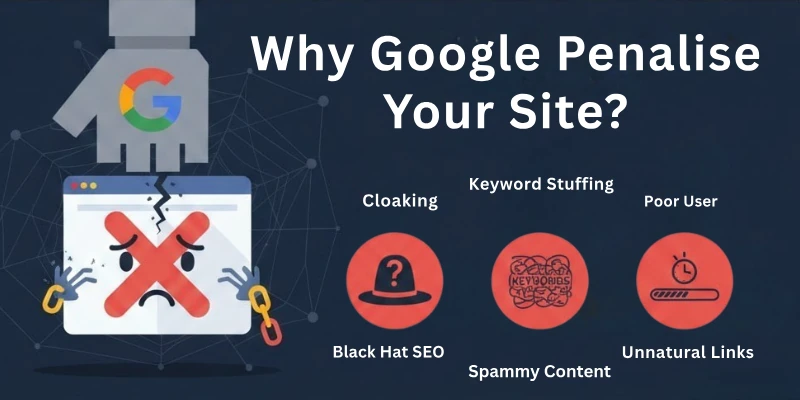
- Unnatural Links: Buying or building spammy backlinks to manipulate rankings.
- Thin Content: Pages with little or no useful information for users.
- Keyword Stuffing: Overusing keywords unnaturally to try to rank higher.
- Duplicate Content: Copying content from other sites or duplicating your own pages.
- Cloaking: Showing different content to Google than what users see.
- Doorway Pages: Creating low-quality pages just to redirect users.
- Misleading Redirects: Redirecting users to irrelevant or deceptive pages.
- Hacked Website: Site compromised with spam or malware.
- Spammy User-Generated Content: Unmoderated comments, reviews, or forum posts containing spam.
- Violating Google Guidelines: Any practices against Google’s Search Essentials.
- Spyware, Adware, or Viruses: Hosting harmful software on your website.
- Hidden Links or Text: Concealing links or content to manipulate rankings.
- Deceptive Redirects: Automatically sending users to a different page without consent.
- Pages Loaded with Irrelevant Keywords: Filling pages with unrelated keywords to manipulate search.
- Excessive Reciprocal Links: Too many link exchanges to influence rankings.
- Spammy Free Hosting: Using hosts known for spammy sites.
- Structured Data Issues: Incorrect or misleading schema markup.
- AMP Content Mismatch: Differences between AMP pages and original pages.
- Sneaky Mobile Redirects: Redirecting mobile users to different content than desktop users.
- News & Discover Policy Violations: Breaking Google News or Discover content rules.
- Inadequate Mobile Optimization: Poor mobile usability or slow pages on mobile devices.
- Excessive Pop-ups or Interstitials: Ads that block the main content.
- Spammy Affiliate Marketing: Promoting low-quality products or excessive affiliate links.
- Unclear Website Ownership: Missing or vague ownership information.
- Lack of Social Signals: Low engagement on social media affecting trustworthiness.
- Excessive Use of Guest Posts: Posting many low-quality guest posts to gain links.
- Neglecting Website Maintenance: Broken links, outdated content, or poorly maintained site.
- Ignoring User Feedback: Not addressing complaints or negative reviews.
- Engaging in Deceptive Practices: Using fake reviews, fake accounts, or manipulation.
- Advertising Regulation Violations: Not disclosing sponsored content or misleading ads.
- Low-Quality Outbound Links: Linking to spammy or irrelevant websites.
- Over-Optimized Anchor Text: Excessive use of the same keyword in backlinks.
- Slow Website Speed: Pages that load too slowly, harming user experience.
- Poor Site Structure: Confusing navigation or broken internal links.
- Excessive Ads Above the Fold: Ads blocking content or frustrating users.
- Malicious or Adult Content: Hosting content that violates Google policies.
- Unsecure Website (No HTTPS): Not using SSL, affecting trust and ranking.
- High Bounce Rate: Pages where users leave quickly due to poor content or UX.
- Fake Reviews or Ratings: Manipulating user feedback to appear better than reality.
- Overuse of Pop-Ups on Mobile: Pop-ups that interfere with mobile usability.
- Spammy Comments Section: Allowing spammy or low-quality comments without moderation.
- Irrelevant Multimedia: Using images or videos that don’t match the page content.
- Excessive Outbound Sponsored Links: Too many paid links without disclosure.
- Low Engagement Signals: Low time on site, high exit rate, or poor CTR affecting rankings.
- Broken Structured Data: Errors in schema causing search result issues.
- Hidden Affiliate Links: Cloaking affiliate links or using misleading redirects.
- Overusing Ads in Sidebar or Footer: Making the site feel spammy or cluttered.
- Keyword Cannibalization: Multiple pages competing for the same keywords.
- Using Clickbait Titles Excessively: Titles that mislead users from actual content.
Let’s move forward to cover more! Don’t be tired, love!
Consequences of Google Penalties
Google penalties can hurt a website’s search engine ranking (SERP) and visibility in general in a big way. These are some of the outcomes that could happen because of these penalties:
- Ranking Drop: Your website may move down in Google search results, and some pages might even disappear from the top pages. This is usually the first thing you notice.
- Traffic Loss: Lower rankings mean fewer visitors. Even if your content is good, a penalty can cause a big drop in people visiting your site.
- Revenue Impact: For businesses, fewer visitors often means fewer sales or leads. A penalty can directly affect your income.
- Trust & Credibility Damage: Users expect Google to show reliable sites. If your site is penalized, visitors may see it as spammy or untrustworthy.
- Brand Reputation Hit: Competitors and people in your industry may notice the drop, making your brand seem less reliable.
- Recovery Takes Time: Fixing a penalty isn’t instant. Google may need to review your site again, which can take weeks or even months.
- Competitor Advantage: While your site struggles, competitors may rise in rankings and take away your audience.
- De-indexing: In serious cases, Google may remove some pages, or your entire website, from search results, making it invisible online.
- User Experience Penalty: Penalties can hurt page speed, mobile usability, and how easy it is for visitors to use your site.
- Content Devaluation: Duplicate or low-quality content may be ignored by Google until you improve it.
- Stress and Frustration: Watching traffic and rankings drop can be stressful, especially if your business depends on your website.
- Long-Term SEO Damage: Even after fixing the problem, it can take months to get your rankings and trust back. Prevention is always easier than recovery.
But what if your site gets penalized? Is there any way to come out of that? Exactly yes! So to know about this, let’s move forward.
How Can I Recover From a Google Penalty?
Recovering from a Google penalty can be a challenging process, but it is possible with careful attention and effort. Here’s a step-by-step guide on how to recover from it:
- Identify the Penalty: The first step is to determine whether you have indeed been penalized by Google. You can check for manual penalties in Google Search Console under the “Security & Manual Actions” section. Algorithmic penalties are more difficult to detect, but you can often identify them by a sudden drop in search traffic or ranking.
- Understand the Cause: Once you’ve confirmed the penalty, it’s crucial to understand the underlying cause. This involves thoroughly reviewing your website’s content, structure, and backlinks to identify any violations of Google’s Search Essentials guidelines.
- Fix the Issues: Address the issues that led to the penalty. This may involve removing duplicate content, fixing broken links, disavowing low-quality backlinks, or improving your website’s overall quality and user experience.
- Submit a Reconsideration Request: Once you’ve made the necessary changes, submit a reconsideration request through Google Search Console. This involves explaining the steps you’ve taken to address the issues and providing evidence of your efforts.
- Monitor Your Website: After submitting the reconsideration request, continue to monitor your website’s performance closely. It may take some time for Google to review your request and lift the penalty, so patience is key.
- Seek Professional Help: If you’re struggling to identify or fix the issues, consider seeking help from an experienced SEO professional or web development company. They can provide expert guidance and assistance in resolving the penalty.
Ahh, guys, in the next last part, there is a coming twist, so just ready to jump in!
It’s Not Always a Penalty (Honeymoon, Google Dance)
Sometimes, a drop in rankings isn’t your fault, it’s just Google doing its thing:
- Honeymoon Period: A new or updated site may get temporary boosts, which can push your site down even if you’re following all rules.
- Dance Period: Google is testing changes and re-evaluating sites, so your rankings can fluctuate temporarily.
- Competitors’ Good Work: When competitors release excellent content, it can affect your rankings even if you haven’t done anything wrong.
Conclusion
In this guide, we have covered everything about Google penalties in great detail, from what they are, the different types, the reasons they happen, to how you can prevent and recover from them.
Guys, never rush. Always take your time and make sure you understand each step before taking action, because rushing often ruins the hard work you’ve put in. Patience and proper planning are the keys to keeping your website safe and maintaining stable traffic.
Don’t forget to check out the FAQs below; they answer the most common questions about Google penalties and will help clear any remaining doubts!
FAQs: Google Penalty
Here are some of the most commonly asked questions related to the Google penalties:
No, Google only penalizes sites that break its rules, like using spammy links or low-quality content. Sites that follow guidelines and provide value are usually safe. Regular monitoring helps you stay protected.
Manual penalties are worse because a human reviewer applies them for serious issues. Algorithmic penalties are automatic and easier to fix once problems are solved. Manual penalties take more time to recover from.
Yes, overusing keywords can lead to a penalty. Google views this as an attempt to manipulate search rankings rather than provide useful content. Instead, focus on writing naturally, adding value to your readers, and using keywords strategically.
Yes, having too many low-quality or unnatural links can trigger a penalty. Focus on earning links naturally from trusted sites. Avoid buying links or using link schemes.
Yes, using tricks like cloaking, hidden text, or spammy redirects can lead to serious penalties. Always stick to safe, ethical SEO practices. White-hat SEO is always safer long-term.
No, most penalties are temporary. Fixing the issues and following Google’s rules usually restores your rankings. Permanent penalties are rare and only for repeated violations.
Check Google Search Console for manual actions or sudden traffic drops. Algorithmic penalties can be noticed by ranking changes. Monitoring your site regularly helps detect issues early.
It depends on the type and severity of the penalty. Algorithmic penalties are faster to fix, while manual ones take longer. Following Google’s rules consistently speeds up recovery.




- Be Respectful
- Stay Relevant
- Stay Positive
- True Feedback
- Encourage Discussion
- Avoid Spamming
- No Fake News
- Don't Copy-Paste
- No Personal Attacks
- Be Respectful
- Stay Relevant
- Stay Positive
- True Feedback
- Encourage Discussion
- Avoid Spamming
- No Fake News
- Don't Copy-Paste
- No Personal Attacks
