What Are Broken Links? Causes, Impact & Solutions
Published: 4 Feb 2026
Have you ever clicked on a link expecting helpful content, but instead ended up on an error page? That’s what we call a broken link, and it’s more common than you might think. Broken links not only frustrate users but also send negative signals to search engines.
In this guide, we will cover what broken links are, why they appear on websites, how they impact SEO and user experience, and how you can find and fix them properly. By the end, you’ll know exactly how to keep your website clean, user-friendly, and search-engine safe.
Let’s dig in!
What are Broken Links?
Broken links, also known as dead links or link rots, are hyperlinks that no longer function as intended because the destination page has been moved, deleted, or its URL has been modified.
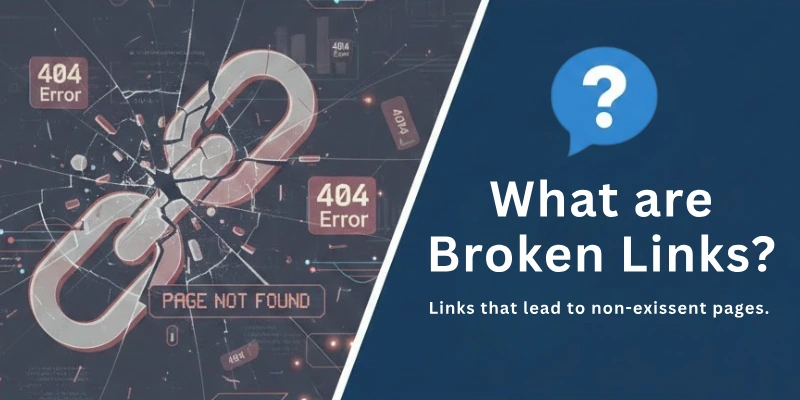
When a user clicks on a broken link, they are greeted with an error message, often a 404 (Not Found) or 410 (Gone) status code, indicating that the linked content is no longer available.
Search engine crawlers can’t properly index and rank web pages when these kinds of links are present. This makes the user experience bad.
Examples of a Broken Link Error Code
Actually, guys, there are two types of broken link errors that occur: one on the client-server side and another on the server-side.
Now, which error shows which type code? Here, I have listed them all.
Client-side error codes (4xx)
Have a look:
- 400 Bad Request: This error message means that the server can’t understand the request because the URL or HTTP headers have a syntax error.
- 401 Unauthorized: This error means that the user does not have permission to access the resource. The user might have to sign in or give more information.
- 403 Forbidden: The user has the right to access the resource, but the server is set up to block access, which is what this error means.
- 404 Not Found: This is the most common code for a broken link. It means that the server does not have the requested resource.
- 405 Method Not Allowed: This error means that the HTTP method that was used in the request is not supported by the resource that was sent. For example, a GET request may not be allowed for a resource that is only meant to be updated with a PUT or POST request.
- 406 Not Acceptable: The server is unable to provide a response that meets the client’s content negotiation preferences, as shown by this error. For example, the client might have asked for a content type or encoding that the server doesn’t support.
- 408 Request Timeout: This error indicates that the server has timed out while awaiting the completion of the request. If the client’s connection is slow or unstable, this can occur.
- 410 Gone: This error is similar to 404, but it indicates that the resource is no longer available and will never be available again.
Server-side error codes (5xx)
Have a look:
- 500 Internal Server Error: This is a generic error code that means something went wrong on the server’s end. The precise cause of the error may be unknown.
- 501 Not Implemented: This error indicates that the HTTP method used in the request is not supported by the server.
- 502 Bad Gateway: The server got an invalid response from an upstream server, which is what this error means.
- 503 Service Unavailable: The server is currently unavailable due to overload or maintenance, as indicated by this error.
- 504 Gateway Timeout: While waiting for a response from an upstream server, the server timed out.
- 505 HTTP Version Not Supported: This error indicates that the HTTP version used in the request is not supported by the server.
Now, guys, here comes a question: are these links harmful for your site or not? Either they have any effect on your site or we can ignore them.
To learn more about this, let’s move forward.
Do Broken Links Hurt your Website?
Yes, broken links can hurt your website in a number of ways. They can:
- Frustrate your visitors: Visitors who click on a broken link will be directed to a 404 error page, which is a dead end. This can be frustrating for users because they will be unable to find the information they are looking for, which will negatively impact your site’s user experience.
- Damage your SEO: Links are used by search engines like Google to understand the structure of your website and determine its relevance to search queries. Broken links can indicate to search engines that your website is out of date and poorly maintained. This can result in lower search rankings.
- Hurt your credibility: Broken links can also make your website look unprofessional and untrustworthy. If a potential customer clicks on a broken link to your website, they may be less likely to do business with you in the future.
- Increase your bounce rate: Broken links can increase your site’s bounce rate. As a percentage of visitors leaving your website after only viewing one page. Furthermore, a high bounce rate can indicate to search engines that your website does not provide a good user experience.
- Decrease your time on site: The average length of time that visitors spend on your website is referred to as time on site. A low time on site can also indicate to search engines that your website is not providing a satisfactory user experience.
So, guys, broken links hurt your user experience, and Google loves that site whose user experience is the best. So, I think this statement and the above reasons say a lot.
What Causes A Link To “Break”?
Now here comes a question: are there any reasons that cause links to be broken? Exactly yes!! Now what are those? Let’s learn them.
Basically there are 10 most common reasons for broken links:
- Mistyped URLs: A common human error that leads to broken links is misspelling the URL or entering it incorrectly.
- Deleted Pages: When a web page is deleted or moved to a new location without proper redirection, the links pointing to that page become broken.
- URL Changes: Changing the URL structure of a website without implementing redirects can cause internal links to break.
- Website Restructuring: Major website redesigns or restructuring can lead to broken links if the URL structure is significantly altered.
- Domain Name Changes: If a website changes its domain name, all links pointing to the old domain will break.
- External Site Changes: When an external website goes offline, changes its URL, or implements access restrictions, links pointing to that site can break.
- Incorrect Link Syntax: If the link’s syntax is incorrect, such as missing brackets, slashes, or the wrong protocol, it will lead to a broken link.
- Firewall or Geolocation Restrictions: Links to content restricted by firewalls or geolocation settings may not be accessible to certain users, resulting in broken links.
- Empty Responses: If the web server returns an empty response without any content or error code, the link will appear broken.
- Timeouts: Continuous timeouts during HTTP requests can indicate broken links due to server issues or network connectivity problems.
How to Find and Fix Broken Links on your Website?
Finding and fixing broken links on your website is an important step in maintaining a positive user experience and ensuring that your site is search engine optimized (SEO).
Here’s a step-by-step guide on how to identify and fix broken links on your website:
1. Identify Broken Links
The first step is to identify all the broken links on your website. There are several ways to do this:
- Use a web-based SEO audit tool: Several web-based SEO audit tools can automatically scan your website for broken links. Popular options include Ahrefs, SEMrush, and Sitechecker.
- Check Google Webmaster Tools: Google Webmaster Tools provides a report of broken links on your website. However, it may not capture all broken links, especially external ones.
- Monitor your Google Analytics 404 error page: You can set up a custom filter in your Google Analytics account to track how many hits your 404 error page gets. This can help you identify broken links that are not caught by other methods.
2. Prioritize Broken Links
Once you have a list of broken links, prioritize them based on their importance. Factors to consider include:
- Location of the broken link: Links on high-traffic pages or in important navigation menus should be prioritized.
- Type of broken link: Internal links, which lead to other pages on your website, should be prioritized over external links.
- Impact on user experience: Broken links that lead to dead ends should be prioritized over those that redirect to valid but irrelevant pages.
3. Fix Broken Links
There are three main ways to fix broken links:
- Redirect: If the destination page has moved to a new URL, you can redirect the broken link to the new URL. This is the best option for internal links, as it preserves link equity and ensures that users are directed to the correct location.
- Update: If the destination page has a typo in the URL, or if the URL has been changed but the content is still relevant, you can simply update the link to the correct URL.
- Remove: If the destination page no longer exists or is no longer relevant, you can remove the link altogether. This is the best option for external links that are no longer valid.
4. Test and Verify Fixes
Once you have fixed a broken link, test it to make sure it is working correctly. You can do this by manually clicking on the link or by using a browser extension that checks for broken links.
5. Monitor and Maintain
Even after fixing all the broken links on your website, it is important to monitor and maintain your site regularly. This will help you catch any new broken links that may occur.
How to Find and Fix Broken Backlinks?
Broken backlinks, also known as dead links, are links on external websites that point to pages on your website that no longer exist or return a 404 error.
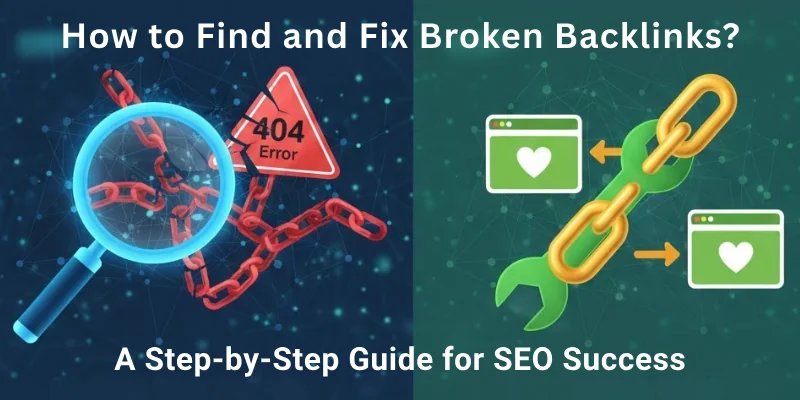
These broken links can harm your website’s SEO by:
- Preventing search engines from crawling and indexing your website
- Providing a poor user experience
- Wasting link equity
So guys, you must find out these links by following below mentioned steps:
- There are several ways to find broken backlinks to your website.
- One way is to use a backlink checker tool, such as Ahrefs, SEMrush, or Moz. These tools can crawl the web and identify broken links pointing to your website.
- Google Search Console is another tool for locating broken backlinks. Google Search Console is a free tool that provides information about the performance of your website in Google Search. You can view a list of all the websites that link to your website in Google Search Console by going to the “Links to Your Site” report. This list can then be filtered to show only broken links.
Now, once you have figured them all out, here are some steps you need to follow to fix them:
- Contact the website owner and request that the link be fixed. This is typically the best option because it ensures that the link leads to the correct page on your website.
- The broken link should be redirected to another page on your website. If you have moved the content to which the link was pointing, this is a good option.
- Remove the broken link from your site. This is a last resort, but it may be necessary if you are unable to contact the website owner or do not have a relevant page to redirect the link to.
So, guys, here is how you can do it all. But do you know these broken links can help a lot in link building? Also, yes. In the last, I shared a tip for you guys as a gift.
Bonus Tip: Broken Link Building
Broken link building is an SEO technique that involves finding and replacing broken backlinks on other websites with links to your own website. This can be a great way to get high-quality backlinks to your website.
Here are the steps you need to follow:
- Find broken backlinks to relevant websites. You can use a backlink checker tool to find broken backlinks to websites in your niche.
- Contact the website owner and offer to replace the broken link with a link to your website. Be sure to choose a page on your website that is relevant to the broken link.
- Follow up with the website owner. It may take some time for the website owner to respond to your request. Be sure to follow up with them a few times to increase your chances of success.
Although it can be a time-consuming process, but it can be a very effective way to get high-quality backlinks to your website.
Conclusion
In this guide, we have covered all about broken links in great detail, including what they are, why they matter, and how they affect your website’s SEO and user experience.
My personal recommendation is this: never ignore broken links. Make it a habit to check your site regularly, fix issues on time, and always think from the user’s point of view, small fixes can protect your rankings in a big way.
If you want to learn SEO the right way and avoid common mistakes like broken links, explore our SEO course and start building a strong, search-friendly website today.
FAQs
Here are some of the most commonly asked questions related to the what are broken links in seo:
Broken links are links that no longer work and lead to an error page like 404. They usually happen when a page is deleted, moved, or the URL is changed. Broken links create a poor user experience and can harm SEO performance.
Broken links negatively affect SEO by frustrating users and increasing bounce rates. Search engines may see your site as poorly maintained, which can lower rankings. Too many broken links can also waste crawl budget.
Yes, broken links are very bad for user experience. When users click a link and land on an error page, they often leave the site. This reduces trust and engagement on your website.
Broken links alone usually do not cause a Google penalty. However, a large number of broken links can signal poor site quality. Over time, this can negatively impact your rankings and visibility.
You can find broken links using tools like Google Search Console, Screaming Frog, or Ahrefs. These tools scan your site and show links that return errors. Regular checks help keep your site healthy.
Broken links should be fixed as soon as they are found. Ideally, you should check for broken links at least once a month. Large or frequently updated sites may need weekly checks.
The best way to fix broken links is to update the URL or redirect it to a relevant page using a 301 redirect. If the page no longer exists, remove the link completely. Always redirect users to helpful content.
Yes, broken internal links usually affect SEO more. They interrupt site structure and make it harder for search engines to crawl your pages. External broken links mainly impact user trust.
Broken backlinks can cause you to lose valuable link equity. If strong websites link to broken pages, your site misses SEO benefits. Redirecting those URLs can help recover lost value.
To prevent broken links, always use proper redirects when changing URLs. Regularly audit your website and avoid deleting pages without planning. Good site maintenance keeps your SEO strong.

- Be Respectful
- Stay Relevant
- Stay Positive
- True Feedback
- Encourage Discussion
- Avoid Spamming
- No Fake News
- Don't Copy-Paste
- No Personal Attacks
- Be Respectful
- Stay Relevant
- Stay Positive
- True Feedback
- Encourage Discussion
- Avoid Spamming
- No Fake News
- Don't Copy-Paste
- No Personal Attacks
